

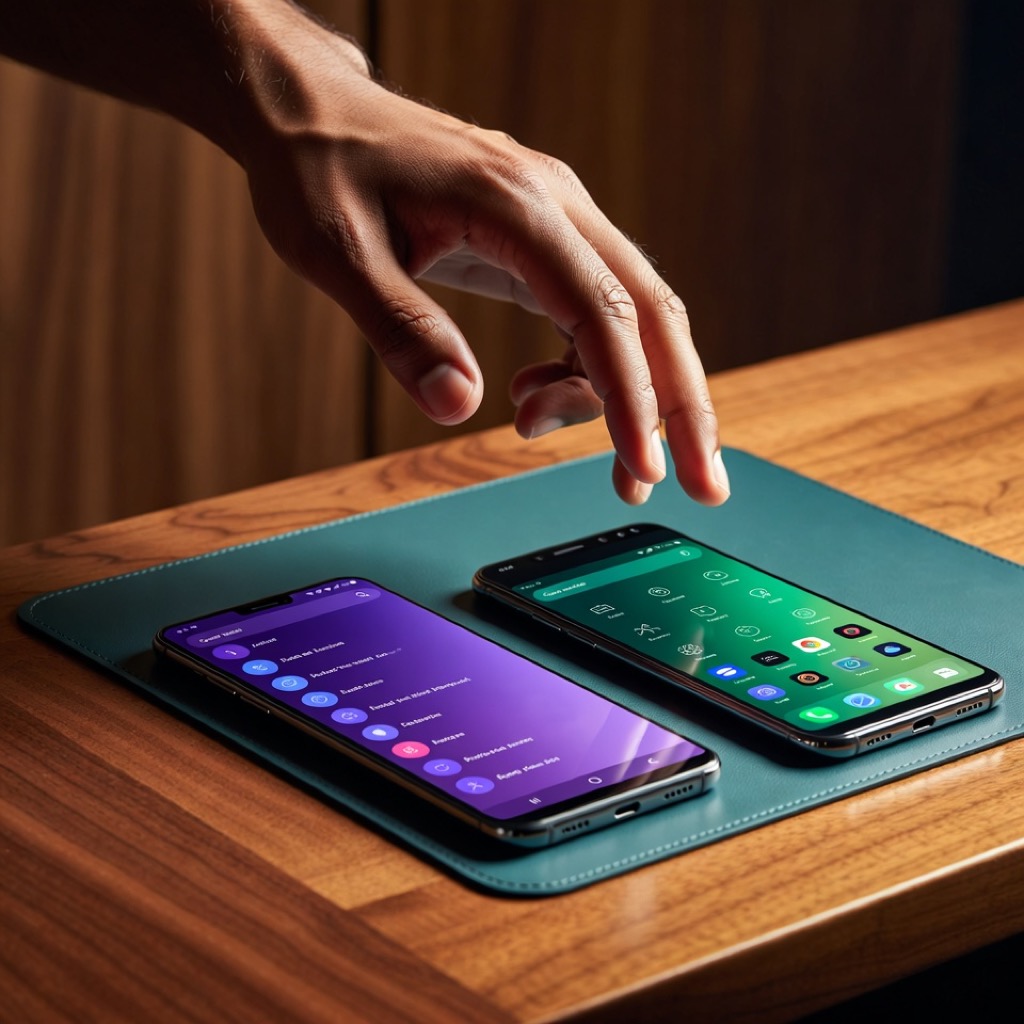
The Biggest AI Migration in History
In late February 2026, Anthropic rejected the Pentagon’s demand that Claude be used “for all lawful purposes,” including autonomous weapons systems. CEO Dario Amodei stated publicly: “We cannot in good conscience accede to their request.” The Trump administration responded by blacklisting Anthropic from all federal contracts. Defense Secretary Pete Hegseth directed that no military contractor or partner could conduct commercial activity with Anthropic.
The American public responded by making Claude the number one free app on Apple’s App Store — ahead of TikTok, Instagram, and ChatGPT. By early March 2026, Claude had reached 11.3 million daily active users, up from four million in January, with more than one million new users signing up every day according to Anthropic’s Chief Product Officer Mike Krieger.
Millions of people who had never heard of Anthropic suddenly had Claude on their phones. And almost all of them made the same mistake: they treated it as a drop-in replacement for ChatGPT. Same prompts. Same expectations. Same workflow.
This is like switching from Excel to Photoshop and wondering why the spreadsheet features are missing. Yes, they are both software. Yes, Claude and ChatGPT are both large language models. But the two products have diverged so significantly in their design philosophy, training approach, and optimal use patterns that using one like the other leaves most of the value on the table.
This guide covers seven practical differences that change how you should work with Claude — based on independent testing data, architectural differences, and patterns observed across thousands of real-world users.
The Training Difference That Drives Everything
Before the practical tips, you need to understand one architectural distinction that explains almost every behavioral difference between the two tools.
ChatGPT is trained primarily using Reinforcement Learning from Human Feedback (RLHF). Human raters evaluate model responses, and the model learns to produce outputs that score well with those raters. This inherently rewards responses that feel satisfying in the moment — thorough, agreeable, and confidence-inspiring.
Claude is trained using both RLHF and Constitutional AI (CAI), where the model is additionally trained against explicit principles — a written constitution that instructs it to be helpful, honest, and avoid harm. Rather than relying solely on what human raters prefer, the model critiques and revises its own outputs based on these principles. The practical effect is that Claude is more likely to flag a problem than to smooth it over, more likely to ask what you are really trying to achieve than to execute a potentially flawed request without question.
Neither approach is universally better. But they produce measurably different default behaviors that you need to account for in your workflow.
Principle 1: Claude Responds to Situations, Not Commands
Most ChatGPT users have learned to write commands: “Write a cover letter.” “Give me five ideas.” “Summarize this document.” Claude will respond to these commands, but it responds noticeably better to situations — prompts that provide context about who you are, what you are trying to accomplish, and why.
The difference is rooted in training. A model trained via Constitutional AI to reason about whether a request is well-framed will naturally do more with a well-framed input. A model trained via RLHF to satisfy the request as stated will execute the command regardless of framing quality.
Instead of: “Write a follow-up email to a client.”
Try: “I’m a project manager at a mid-size consulting firm. Our client’s CEO expressed concern in yesterday’s call that the Q2 deliverable might slip by two weeks. I need to acknowledge the concern, explain what caused the delay without making excuses, and propose a revised timeline that includes a risk buffer. The tone should be confident but not dismissive of their concern.”
The difference in output quality between these two prompts is dramatic with Claude — more so than with ChatGPT, where the simpler version often produces a reasonable if generic result. Claude rewards the investment in context.
Principle 2: Claude Pushes Back (and That Is the Point)
If you ask ChatGPT to evaluate your business plan, it will likely tell you the plan is strong with a few areas to consider. If you ask Claude the same question, it is more likely to identify structural problems, question your assumptions, or tell you something you did not want to hear.
This is not a bug — it is the core value proposition for professional use. The most expensive AI mistakes are not factual errors. They are plans that sound great because the AI validated them uncritically. A strategy that an AI enthusiastically endorsed but that fails in market costs real money and real time.
Multiple independent comparison reviews — from Zapier, Tom’s Guide, and enterprise comparison platforms — have documented that Claude tends to ask more clarifying questions and engages more deeply with context than ChatGPT. For work where getting the right answer matters more than getting a comfortable answer, this behavioral difference is significant.
Practical tip: When you find Claude pushing back on your request, resist the urge to rephrase until it agrees. Instead, ask it to explain its concerns. Often, the pushback reveals a blind spot in your thinking that would have cost you later.
Principle 3: Give Claude Your Work, Not a Blank Canvas
This is counterintuitive for people who think of AI as a content generator. Claude is measurably better at editing and refining existing work than at generating from scratch.
In a 2026 blind test — with 134 voters across eight prompts, labels removed and randomized — Claude won four of eight rounds while ChatGPT won one. Users consistently rated Claude’s outputs as more natural and publishable without heavy editing. On structural coherence of long-form text exceeding 2,000 words, Claude scored 85% versus ChatGPT’s 78%.
However, Claude’s outputs tend to be more concise than ChatGPT’s. If you are accustomed to getting 1,500-word responses from ChatGPT and you switch to Claude with the same prompts, the shorter responses can feel like you are getting less value. You are not — the content is typically denser and more precise — but the length difference takes adjustment.
Practical tip: Instead of asking Claude to write a marketing brief from scratch, write a rough draft yourself — even if it is messy — and ask Claude to restructure it, strengthen the weak sections, and flag anything that does not support the core argument. The output will be dramatically better than generation from a blank prompt.
Advertisement
Principle 4: Use Extended Thinking for Hard Problems
Claude has a capability called extended thinking where the model allocates additional processing to work through complicated problems step by step. You can see this reasoning process in real time as Claude works through the problem.
Extended thinking is not a separate model — it is the same model given more time and compute to reason through a problem. Claude Opus 4.6 uses adaptive thinking, dynamically deciding when and how much to think based on query complexity. Developers can set a “thinking budget” to control how long Claude spends reasoning.
This changes how you approach complex tasks. For straightforward requests — “reformat this data,” “translate this email” — extended thinking adds little value. But for ambiguous, multi-step, or judgment-heavy problems — “evaluate whether we should enter this market,” “debug why this system architecture creates bottlenecks” — extended thinking produces noticeably better output.
The key insight is that extended thinking is also a collaboration tool. You can watch Claude’s chain of thought unfold and intervene when you see it heading in the wrong direction. If the reasoning starts with a wrong assumption, you can stop the generation and redirect. This is especially valuable for problems where you have domain expertise that the model lacks.
Practical tip: For any problem that would take you more than thirty minutes to think through yourself, turn on extended thinking and watch the chain of thought. Intervene early if the reasoning diverges from your domain knowledge.
Principle 5: Set Up Projects With Custom Instructions
Claude’s Projects feature, launched in mid-2024, allows you to create persistent workspaces with system-level instructions, document libraries, and conversation histories that persist across every conversation within a project. This is fundamentally different from ChatGPT’s custom instructions, which apply globally and are limited in scope.
The optimal use of Projects is not to write generic instructions like “help me with marketing.” It is to create a detailed operating context: your role, your audience, your company’s positioning, your manager’s preferences, relevant documents you have uploaded. You can upload files up to 30MB each across unlimited files — PDFs, spreadsheets, presentations, code.
For example: “I’m a product marketing manager at a B2B SaaS company in cybersecurity. My team sells to CISOs and IT directors at mid-market companies with 500 to 2,000 employees. Our biggest differentiator is ease of deployment. My VP prefers data-backed arguments and dislikes jargon. All content should align with the positioning doc and brand voice guide I’ve uploaded.”
Every conversation in that project inherits this context. You do not re-explain your role or audience — you just say “I need a one-pager for the Gartner meeting” and Claude already knows what that means.
Claude tends to follow complex system-level instructions very consistently across conversations without significant drift. When you set detailed operating rules in a Claude project, those rules tend to stick for weeks without reinforcement. This makes the investment in setting up a well-configured project disproportionately valuable.
Principle 6: Cowork for File Operations
Claude’s Cowork feature, which launched in January 2026, allows the model to handle file management and data wrangling tasks that consume hours every week. You can point Claude at a folder of invoices and tell it to extract vendor names, amounts, and dates into a summary spreadsheet — and it will execute the task autonomously while showing you what it is doing in real time.
Cowork operates with explicit permission gates — Claude requires your authorization before deleting any files. Real-time visibility means you can stop the process if something goes wrong. As of March 2026, Cowork supports 38 connectors including Gmail, Google Drive, Microsoft 365, Slack, and Notion, with a plugin marketplace for extended functionality.
This reframes the AI category. ChatGPT is positioned primarily as a conversation partner. Claude with Cowork is positioned as a conversation partner plus a worker that handles structured tasks across your actual files and apps. If your work involves regular file processing, data extraction, or document management, this capability alone may justify the switch.
Principle 7: Know What You Are Giving Up
An honest switching guide must cover what ChatGPT does better. If you skip the trade-offs, people will discover them on their own and feel misled.
Image generation. Claude does not generate images natively. ChatGPT integrates DALL-E 3 and GPT Image 1.5 to produce images directly in the conversation. In a 2026 blind test, ChatGPT produced more vibrant and on-prompt images compared to alternatives. If image generation is a regular part of your workflow, you will need a separate tool alongside Claude.
Ecosystem breadth. ChatGPT has a larger plugin ecosystem, more third-party integrations, and a custom GPTs marketplace. If you rely on specific ChatGPT plugins for your workflow, check whether equivalent functionality exists on Claude before switching.
Total user base. ChatGPT still commands roughly 250 million daily active users compared to Claude’s 11.3 million. This means more community-created templates, shared prompts, and third-party tools built around ChatGPT’s ecosystem.
Web search. Claude added web search powered by Brave Search in 2026, available globally on all plans. The gap with ChatGPT’s browsing has narrowed significantly, but ChatGPT’s integration with Bing and its longer track record with real-time search means it still has an edge for tasks requiring up-to-the-minute data.
Conversation warmth. ChatGPT’s RLHF training produces responses that many users find warmer and more engaging in casual conversation. If you use AI primarily for brainstorming or casual back-and-forth, ChatGPT’s conversational style may feel more natural.
The honest assessment is that neither tool is universally superior. The optimal strategy for most professionals is multi-model fluency — knowing which tool to reach for based on the task at hand.
The Five-Minute Test
If you are helping someone try Claude for the first time, here is the approach that has converted skeptics most reliably:
1. Pick their hardest current problem. Not “write me a poem” — an actual work problem they are struggling with. A strategy question, a difficult email, an analysis they cannot crack.
2. Frame it as a situation. Help them write a context-rich prompt that describes who they are, what they are trying to do, and why it matters.
3. Let Claude push back. When Claude questions an assumption or suggests a different approach, point out that this is a feature, not a limitation.
4. Compare honestly. If they have already tried the same problem with ChatGPT, compare the outputs side by side. The differences are usually immediately visible in the depth of reasoning and the specificity of recommendations.
5. Set up a Project. If they are convinced after the first conversation, help them set up a Project with their professional context. This is the moment where Claude’s value compounds — and where most new users never get without guidance.
Frequently Asked Questions
Can I use both Claude and ChatGPT, or should I pick one?
Using both is the optimal strategy. Each model has different strengths: Claude excels at nuanced reasoning, honest feedback, and long-form editing, while ChatGPT is stronger at image generation, real-time information, and conversational warmth. The breakthrough professional skill of 2026 is multi-model fluency — knowing which tool to use for which task.
Will my ChatGPT prompts work on Claude?
Basic prompts will work, but you will not get Claude’s best output. Claude rewards context-rich, situation-based prompts more than simple commands. Investing five minutes to reframe your most-used prompts as situations — with your role, audience, and objectives included — will produce noticeably better results.
Is Claude better than ChatGPT for coding tasks?
Claude has strong coding capabilities, particularly for reasoning through complex architectures and debugging subtle issues. Claude Opus 4.6 scored 68.8% on the ARC-AGI-2 benchmark for abstract reasoning, outperforming GPT-5.2’s 54.2%. For development work specifically, Claude Code (the CLI tool) and GitHub Copilot offer more specialized coding workflows than either chat interface. The best choice depends on your specific use case and preferred development environment.
Sources & Further Reading
- Anthropic Rejects Pentagon AI Deal — CNN Business
- Claude Hits No. 1 on Apple’s App Store After Pentagon Rejection — CNBC
- Claude Hit 11 Million Daily Users in 2026 — Android Headlines
- Constitutional AI: Harmlessness from AI Feedback — Anthropic Research
- Claude’s Constitution — Anthropic
- Using Extended Thinking — Claude Help Center
- Get Started with Cowork — Claude Help Center
- Claude vs ChatGPT: What’s the Difference? — Zapier
- Users Are Ditching ChatGPT for Claude — TechCrunch
- Web Search Now Available Globally — Anthropic
🔗 Related Intelligence
AI Coding Assistants Compared: GitHub Copilot vs Cursor vs Claude Code in 2026

Multi-Model Fluency: The Career Skill of Knowing Which AI to Use When

Large Language Models: The Engines Behind the AI Revolution

AI Coding Assistants: Tools Reshaping Development